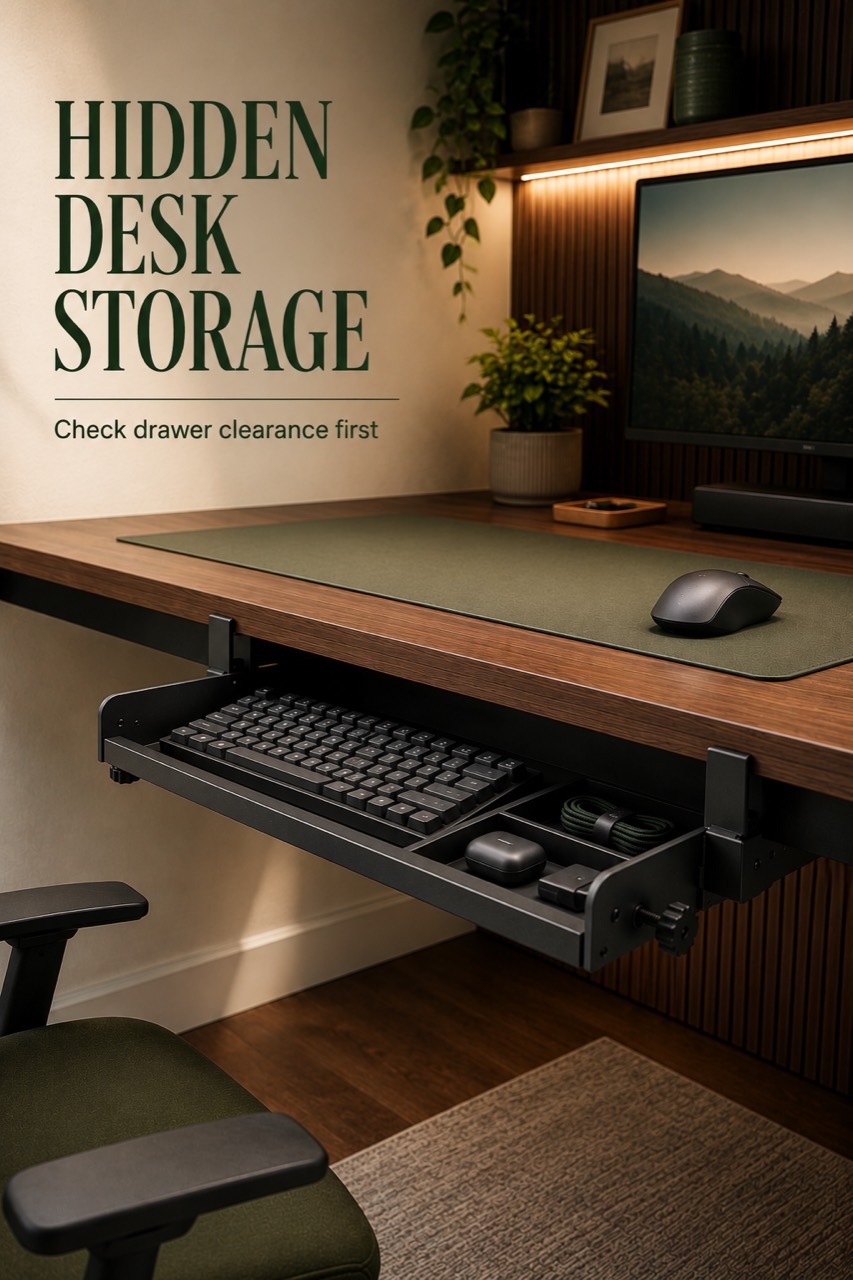
Under-Desk Controller Drawer Fit Check (2026)
Quick answer: An under-desk controller drawer can be a strong small-desk storage upgrade when the desk has enough underside clearance, the mount style fits the desk, and the drawer can hold the exact accessories you want nearby. This fit-check guide helps you measure clearance, check dimensions, and verify compatibility before purchasing.
Last updated: June 24, 2026
Who This Guide Is For
This guide is for gamers, students, and small-desk setup owners who want controllers, remotes, short cables, charging blocks, and small accessories off the desktop but still within easy reach.
It is especially useful if your desk surface gets cluttered quickly and you do not want another visible desktop tray, basket, or shelf.
Original Recommendation Logic
The recommendation starts with the setup constraint, not the product photo. A drawer only helps if it fits the desk underside, opens without hitting knees or chair arms, and stores the exact items causing clutter.
The product path should stay grounded in fit checks: underside space, mount style, drawer dimensions, pull-out depth, accessory fit, and load caution. Do not present the drawer as universally compatible with every desk or controller setup.
What You Need To Measure First
Before using an affiliate link, measure the real desk setup:
- Usable underside width where the drawer would sit.
- Usable underside depth from the desk front toward the back.
- Knee and chair clearance while seated normally.
- Any crossbars, cable trays, keyboard trays, or frame parts under the desk.
- Pull-out space in front of the drawer.
- Height of the accessories you want to store.
Write the numbers down before comparing any drawer. The most important question is not whether a drawer looks clean in a photo; it is whether it clears the desk, chair, knees, and accessories in your setup.
Under-Desk Controller Drawer Fit Check
Use this checklist before choosing the drawer:
| Fit Check | Why It Matters | Pass Signal |
|---|---|---|
| Underside clearance | A shallow desk underside can block drawer install or leg movement. | The drawer area does not interfere with knees, chair arms, or desk frame. |
| Mount style | Clamp, screw, adhesive, and no-drill styles have different desk requirements. | The mount style matches the desk underside and owner comfort level. |
| Drawer dimensions | Controllers and remotes need real usable space, not just outside dimensions. | The intended items fit without forcing the drawer closed. |
| Pull-out depth | A drawer can fit under the desk but still collide when opened. | The drawer opens far enough without hitting the chair or body. |
| Load caution | Small accessories add weight, and unsupported load claims should be avoided. | Only lightweight accessories are planned unless load is locally verified. |
Best for: Hidden Small-Accessory Storage
Best for: small-desk users who want a cleaner desktop without moving controllers, remotes, and cables too far away.
This product job is strongest when the desk has a simple underside, the drawer can open toward the user, and the stored items are small enough to remove without digging. It is also a good fit when the setup problem is visual clutter rather than heavy storage.
Who Should Skip
Who should skip: users with a shallow underside, a desk crossbar where the drawer would mount, tight knee clearance, or accessories too tall for a slim drawer.
Also skip this route if you cannot confirm the mount style. A drawer that requires the wrong install method can create more friction than it solves.
Product Path
The current approved affiliate path is:
View the under-desk controller drawer option
Use the link only after checking the fit criteria above. The project should not add claims about price, rating, review count, availability, durability, load capacity, or universal compatibility unless those claims are verified through an approved source or owner evidence.
What To Photograph For Original Evidence
Create original visuals before scaling this page:
- Desk underside measurement photo showing the actual clearance.
- Drawer location mockup under the desk before install.
- Accessory fit photo with controller, remote, short cable, and charging block.
- Drawer partially open while the chair is in normal position.
- Before and after desktop surface photo.
These images should be owner-generated or original graphics. Do not use Amazon listing images, packaging, logos, reviews, ratings, or brand marks.
Pros and Cons
What Works
- The buyer job is clear: move small gaming accessories off the desktop.
- The pin and product path match the same hidden-storage use case.
- The checklist creates a better decision step than sending every click directly to Amazon.
What Needs Proof
- Actual drawer/tray dimensions.
- Mount style fit for common desk undersides.
- Pull-out clearance in a seated setup.
- Accessory fit for the exact controller and cable mix.
- Load and material confidence.
FAQ
Is an under-desk drawer good for controller storage?
It can be, if the drawer fits your desk underside and the controller fits inside the usable drawer space. Measure clearance and accessory height before choosing one.
What should I measure before buying an under-desk drawer?
Measure underside width, underside depth, knee clearance, pull-out space, and the height of the items you want to store.
Can I use this for cables and remotes too?
Yes, the buyer job includes small accessories such as remotes, short cables, and charging blocks. Keep the load light unless you have verified the drawer capacity.
Should this replace direct Amazon pin traffic?
Test it. The current direct Amazon path produced an outbound click, but this fit-check page gives buyers a clearer pre-click decision step.
Bottom Line
The under-desk controller drawer path is worth keeping. The product job matches the pin promise and local product record. The next improvement is to add real measurements and original photos so the page becomes a stronger pre-Amazon decision point.
Next step: collect the desk underside measurements and original fit photos, then run a compliance check before changing any public pin or destination.
--- SUPPLEMENTARY --- FAQ Questions: 1. Is an under-desk drawer good for controller storage? -> It can be when the desk clearance and accessory dimensions fit. 2. What should I measure before buying an under-desk drawer? -> Measure underside width, depth, knee clearance, pull-out space, and accessory height. 3. Can I use this for cables and remotes too? -> Yes for small accessories, with load claims kept conservative. 4. Should this replace direct Amazon pin traffic? -> Test direct Amazon against the fit-check page after QA.
Image Suggestions: 1. Desk underside measurement photo - alt: "under-desk controller drawer clearance measurement" 2. Drawer partially open under desk - alt: "under-desk controller drawer fit check" 3. Controller and cable fit photo - alt: "controller storage drawer accessory fit" 4. Before and after desk surface - alt: "gaming desk storage before and after"
Products Featured: - Under-desk storage drawer for controllers: https://www.amazon.com/dp/B0FQTS2YC1?tag=pickbetter01-20 (primary)