Gifts for Gamers: 8 Desk Setup Upgrades That Actually Fit
Who This Guide Is For
Gift shoppers looking for functional gaming setup upgrades that solve desk clutter, wire tangling, and limited tabletop space without guessing on PC component compatibility.
Why This Recommendation Exists
Buying gaming gifts is notoriously tricky: mice, keyboards, and internal hardware come down to hyper-specific personal preference. Functional setup accessories, however, solve the universal headache of cramped desks and cable chaos. This guide filters recommendations through physical fit checks—measuring desk lip thickness, clamp depth, and tower clearance before buying.
Original Recommendation Logic
Prioritize accessories that recover tabletop space or organize floor clutter without damaging furniture. Every pick must offer tool-free or no-drill installation, clear dimension specifications, and concrete skip criteria for setups where the item will not fit. Recommendations avoid unsupported price, rating, review-count, availability, performance, or compatibility claims.
Quick Picks
| Pick | Best For | Why It Fits | Who Should Skip |
|---|---|---|---|
| Under-desk storage drawer | Hiding controllers and cables | Clamp-on design preserves desk surface | Desks with beveled edges or thick front aprons |
| PC tower rolling stand | Off-floor tower airflow & mobility | Adjustable width with locking casters | Desks with built-in closed computer cabinets |
| Desk cable management tray | Hiding power strips and wires | Open wire-mesh allows easy power strip access | Glass tops or desks without rear overhang |
| Gaming monitor light bar | Glare-free desktop illumination | Mounts on top of display without desk footprint | Curved ultra-wide monitors with thick webcam mounts |
| Clamp-on cup holder with headset hook | 2-in-1 spill prevention and storage | Swiveling dual arm clamps to desk edge | Round tables or desks thicker than clamp range |
| Controller charging dock | Dedicated dual gamepad parking spot | Drop-and-charge alignment keeps desk clean | Players using third-party grips or silicone skins |
| Monitor arm with cable clips | Elevating screen for posture & space | Full articulation clears entire desk footprint | Honeycomb hollow core desks without reinforcement |
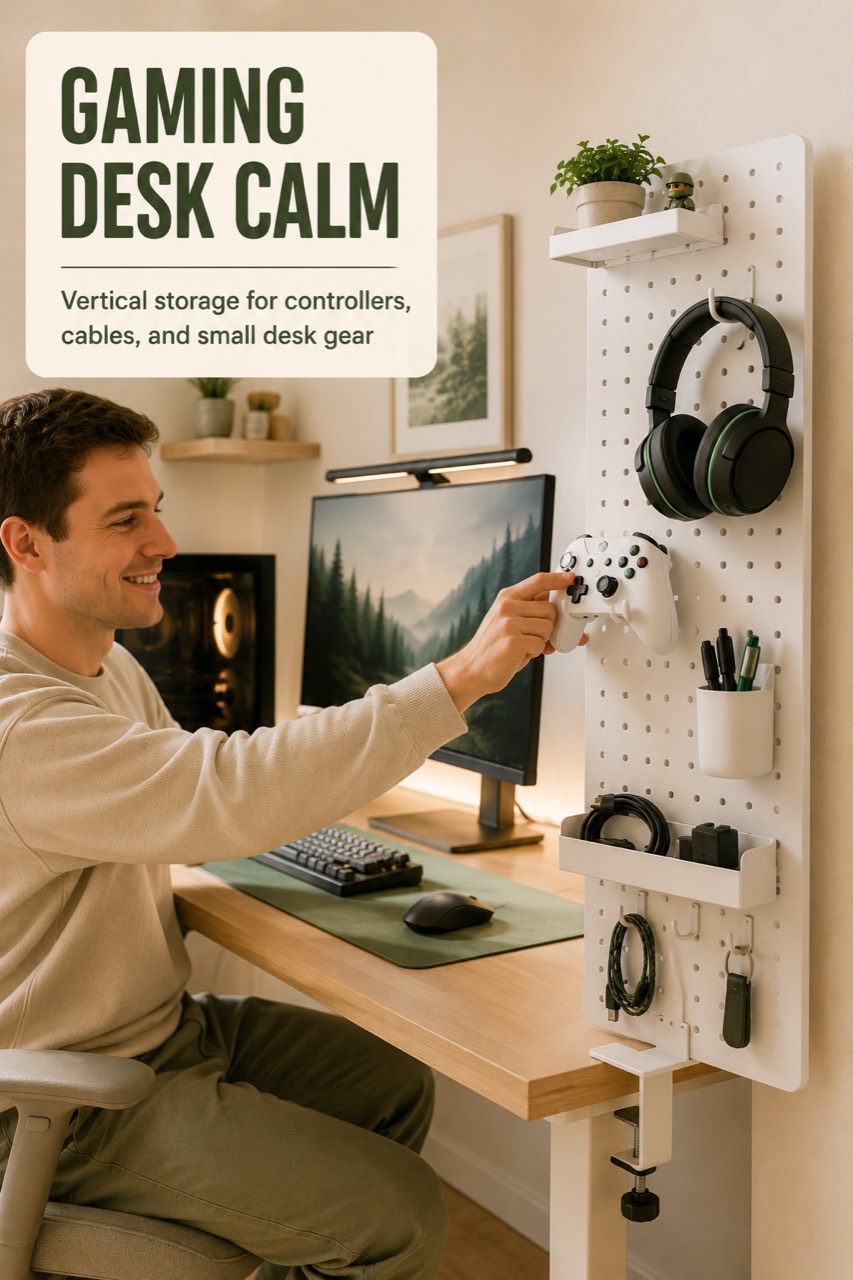
| Desk pegboard organizer | Vertical peripheral display | Modular hooks keep remotes and cords reachable | Desks pushed tight against a flat wall |
Product Recommendations
Under-desk storage drawer for controllers
Best for: Gamers with cluttered desk surfaces who want a hidden drop zone for gamepads, charging cables, and small accessories.
Who should skip it: Desks with a front support beam or drawer that prevents clamp placement, or desk lips thinner than minimum clamp specs.
Fit checks before clicking: - Measure desk edge overhang: verify at least 2 inches of flat depth for the clamp. - Measure desk thickness to ensure it falls within the clamp opening range. - Measure leg clearance under the desk to ensure the drawer will not hit knees when seated.
PC tower rolling stand
Best for: Desktop PC gamers who want to keep their tower off dusty carpets and easily roll it out for cable adjustments.
Who should skip it: Setups where the PC sits on an elevated credenza or within an enclosed desk cubby.
Fit checks before clicking: - Measure PC case width and depth to ensure it rests securely between the side bumpers. - Check floor clearance and desk height so the tower does not strike the desk underside when elevated on casters. - Verify cable slack from wall outlets to the desk before rolling.
Desk cable management tray
Best for: Eliminating the rat's nest of power bricks and cords hanging behind the monitor.
Who should skip it: Desks with solid back modesty panels that block rear edge clamping.
Fit checks before clicking: - Check for rear desk lip clearance to accommodate the clamp brackets. - Measure the length of your largest power strip to confirm it fits inside the tray channel. - Verify that your power cords have enough slack to route neatly down one desk leg.
Gaming monitor light bar
Best for: Lighting up the keyboard and desk pad during late-night gaming without causing screen glare or wasting desk space.
Who should skip it: Ultra-thick monitors or displays with aggressive rear curves that prevent weighted counter-balance mounting.
Fit checks before clicking: - Measure monitor bezel thickness at the top center. - Ensure an available USB-A or USB-C power port is accessible on the monitor or nearby hub. - Confirm screen top is free of mounted webcams or light sensors.
Clamp-on cup holder with headset hook
Best for: Preventing beverage spills onto expensive mechanical keyboards while keeping gaming headsets off the desk pad.
Who should skip it: Gamers with desks that have completely rounded edges or zero edge clearance.
Fit checks before clicking: - Measure desk edge depth: requires flat clamping surface. - Check mug/tumbler diameter against the cup holder ring. - Verify headset headband width fits comfortably on the lower cradle.
Controller charging dock
Best for: Console and PC controller players who need an organized station that charges gamepads between sessions.
Who should skip it: Players using thick silicone protective cases or extra back-button attachments that block charging contact pins.
Fit checks before clicking: - Confirm your exact controller generation matches dock contact points. - Identify an outlet or USB port within cord reach of your desired resting spot. - Allow clearance above the dock so controllers can drop into place easily.
Monitor arm with cable clips
Best for: Gamers wanting to reclaim the massive footprint taken up by bulky stock monitor stands while improving ergonomic viewing angles.
Who should skip it: Desks made of hollow paper honeycomb (such as basic IKEA desks) without a reinforcing metal plate, or monitors lacking standard VESA mounting holes.
Fit checks before clicking: - Verify monitor weight and VESA pattern (75x75mm or 100x100mm) on the back of the screen. - Measure desk lip thickness for the C-clamp or grommet mount. - Check wall clearance behind the desk if articulation arms need to swing back.
Desk pegboard organizer for gaming setup
Best for: Creating a dedicated vertical organizer for extra controllers, audio cables, and keys right at arm's reach.
Who should skip it: Desks positioned flush against drywall where back clamp access is obstructed.
Fit checks before clicking: - Measure desk edge clamp clearance at the side or back edge. - Ensure vertical clearance above the desk surface does not block monitor sightlines. - Group items to store by weight so the pegboard remains balanced.
Bottom Line
The best gaming gifts are the ones that immediately upgrade daily playtime by clearing space and reducing frustration. Measure your recipient's desk lip thickness and cable layout before choosing to guarantee an effortless, fit-checked setup.